Updated June 20, 2026 with current Raven pricing and feature comparisons.
Raven vs Apple Notes
Apple Notes is free. Raven gives you the files.
Apple Notes is free, native, and great for quick capture. Raven is for people who want that native Apple feel,
but with every note stored as a plain
.md
file in a folder they control.
$14 lifetime until July 31. Keep the native feel. Own the files.
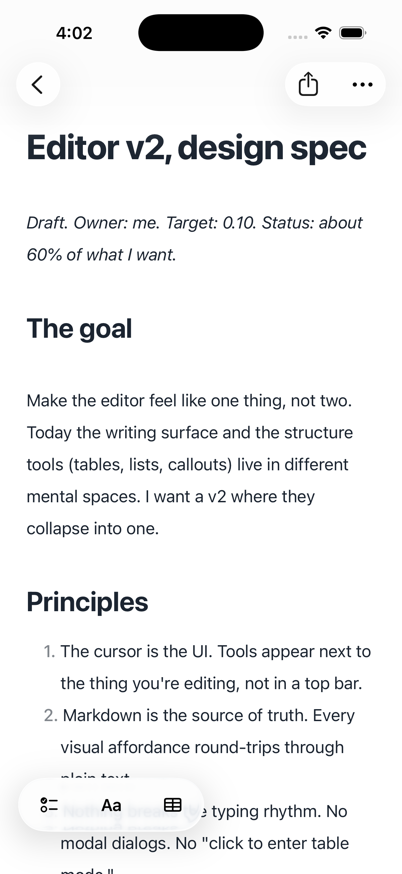
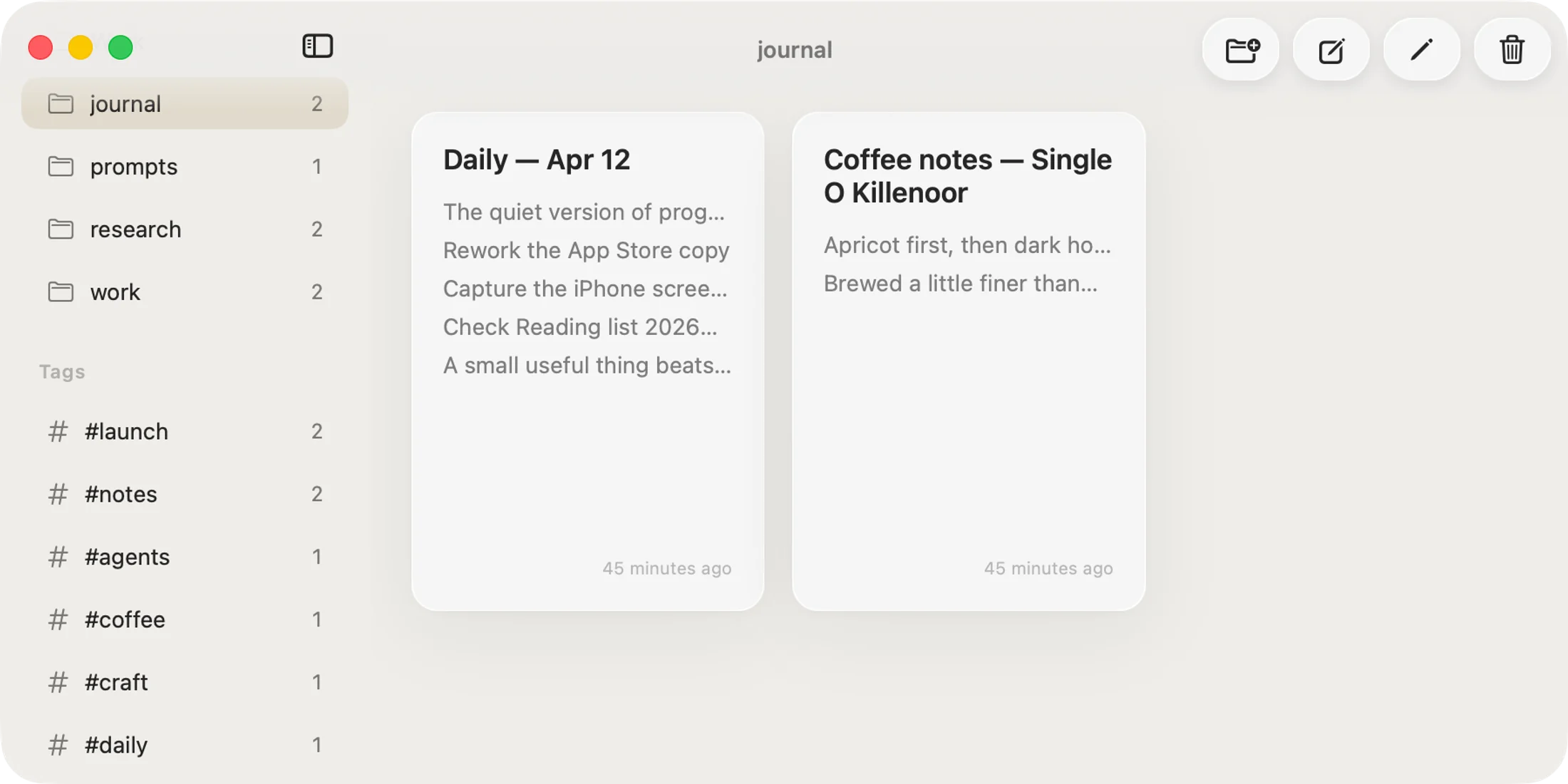
Same native category. Different source of truth.
Apple Notes centers Apple's format. Raven centers the folder.
Design principles
What Raven protects.
Principle #1
Ownership
Apple Notes keeps notes in Apple's format. Raven makes plain `.md` files in your folder the source of truth.
Principle #2
Instant feel
Both are native Apple apps. Raven adds fast local search and offline-first Markdown files you can open anywhere.
Principle #3
Platform fit
Raven connects to widgets, Shortcuts, Companion, MCP, and CLI, while every note stays a file on disk.
Raven or Apple Notes?
Choose Raven if your notes need to live as plain Markdown files that git, Finder, terminal tools, Claude, Codex, Cursor, and local MCP clients can read. Choose Apple Notes if you want a free, preinstalled app with scanning, Apple Pencil, audio transcription, and iCloud collaboration.
Pick Raven for files.
Raven stores every note as a plain .md file in a folder you control. That folder can be opened in Finder, searched with ripgrep, versioned with git, or read by Claude, Codex, Cursor, and local MCP clients.
Pick Apple Notes for free capture.
Apple Notes is free and preinstalled, with system share sheets, Apple Pencil, scanning, and tight ecosystem integration. For fast everyday capture it is hard to beat.
Pick Raven when agents need the notes.
Claude, Codex, Cursor, and local MCP clients work best against files. Apple Notes keeps notes in Apple's format, so agents need an export first. Raven gives them a normal Markdown vault.
Pick Apple Notes for the Apple extras.
Document scanning, Apple Pencil drawing, audio transcription on supported devices, and iCloud collaboration are Apple Notes strengths. Raven focuses on Markdown writing in plain files instead.
Raven vs Apple Notes, side by side.
 Raven Raven |  Apple Notes Apple Notes | |
|---|---|---|
| Free and preinstalled | - | |
| Plain .md files on disk · Apple Notes exports Markdown; it does not store notes as files | - | |
| Native Mac app | ||
| Native iPhone app | ||
| Works with Claude / MCP agents · Export first | - | |
| Grep / git / terminal access | - | |
| [[Wiki-style]] backlinks | - | |
| Tables | ||
| Checklists | ||
| Document scanning | - | |
| Audio transcription on supported devices | - | |
| Collaboration | - | |
| Daily and weekly Journal | - | |
| Reusable Markdown templates | - | |
| One-time purchase option | - |
Apple Notes deserves credit.
Apple Notes is free, fast, and deeply integrated. Quick capture, checklists, scans, Apple Pencil, audio transcription on supported devices, and iCloud collaboration are genuinely excellent.
The split is where the notes live.
Apple Notes stores notes in Apple's format and lets you export. Raven treats the folder of plain .md files as the place you work from. That difference matters most when git, the terminal, or AI agents need to work with your writing.
Choose Raven if...
- People who want every note as a plain .md file
- People who want Claude, Cursor, or MCP agents to read their notes folder
- People who version notes with git or search them from the terminal
- People who want Markdown as the primary writing format
Choose Apple Notes if...
- People who want a free default notes app
- People who capture scans, drawings, PDFs, and quick checklist items
- People who collaborate through iCloud
- People who do not care where their notes live on disk
Source notes.
This comparison reflects Apple Notes features as documented by Apple for current iPhone, iPad, and Mac software.
Raven vs Apple Notes questions.
Can I move my Apple Notes to Raven?
Is Raven free like Apple Notes?
Does Raven sync across devices like iCloud?
Can Claude, Codex, or Cursor read my Apple Notes?
Does Raven have scanning and Apple Pencil like Apple Notes?
Which should I use?
Apple's feel. Markdown files.
Lock in lifetime at $14. Apple refunds are available within 48 hours.
For the migration-focused version, read the Apple Notes alternative guide.