Updated May 28, 2026 with current Raven and Bear pricing.
Raven vs Bear
Bear is polished. Raven gives you the files too.
Bear is a polished Apple notes app with a mature editor, hashtags, themes, and several export formats.
Raven is for people who want that native feel, but with every note stored as a plain
.md
file in a folder they control.
$14 lifetime until July 31. Native feel, files you own.
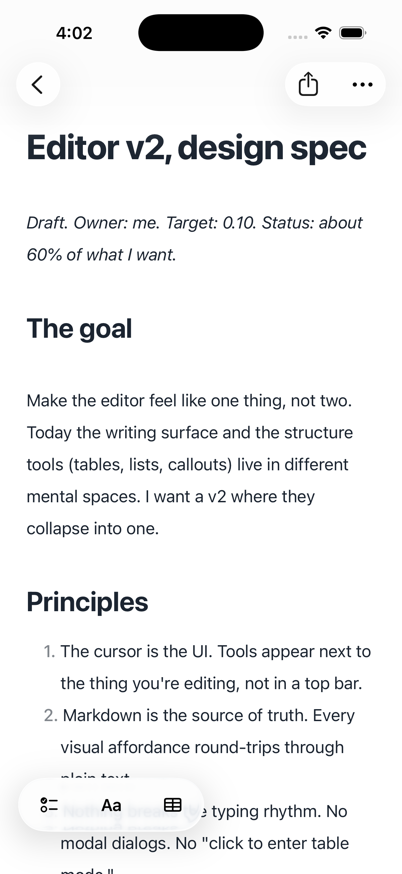
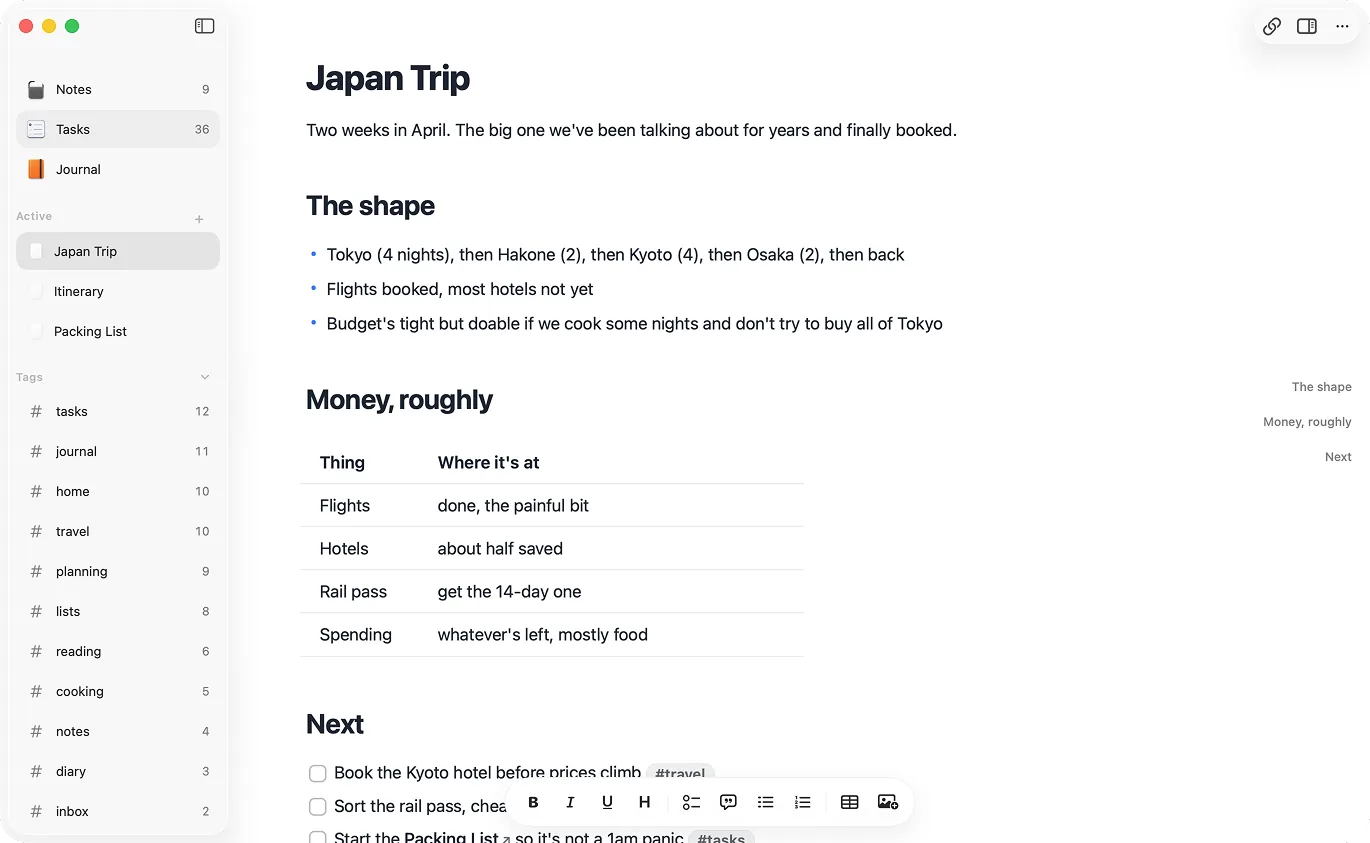
Same native category. Different source of truth.
Bear centers the app library. Raven centers the folder.
Design principles
What Raven protects.
Principle #1
Ownership
Bear gives you export options. Raven makes plain `.md` files the source of truth from the start.
Principle #2
Instant feel
Both apps care about native writing. Raven adds fast local search and offline-first Markdown files.
Principle #3
Platform fit
Raven connects to widgets, Shortcuts, Companion, MCP, and CLI without making another app library the center.
Raven or Bear?
Choose Raven if your notes need to live as plain Markdown files that git, Finder, terminal tools, Claude, Codex, Cursor, and local MCP clients can read. Choose Bear if you want a mature hashtag-first writing app with encrypted notes, OCR search, many themes, and more export formats.
Pick Raven for files.
Raven stores every note as a plain .md file in a folder you control. That folder can be opened in Finder, searched with ripgrep, versioned with git, or read by Claude, Codex, Cursor, and local MCP clients.
Pick Bear for its mature editor.
Bear has themes, export formats, encrypted notes, OCR search, polished attachment handling, and a long track record. If you use those every day, Bear may still be the right app.
Pick Raven when local agents need the notes.
Claude, Codex, Cursor, and local MCP clients work best against files. Raven gives them a normal Markdown vault, plus Companion for permissioned Raven-aware edits.
Pick Bear for hashtag-first organization.
Bear's tag system is core to the product. Raven uses folders, search, tasks, Journal notes, tables, and wiki-style backlinks instead.
Raven vs Bear, side by side.
 Raven Raven |  Bear Bear | |
|---|---|---|
| Plain .md files on disk · Bear uses SQLite | - | |
| Native Mac app | ||
| Native iPhone app | ||
| Beautiful out of the box | ||
| Fast open time | ||
| [[Wiki-style]] backlinks | - | |
| Hashtag organization | - | |
| Grep / git / terminal access | - | |
| Works with Claude / MCP agents · SQLite blocks agent access | - | |
| Cloud sync | ||
| One-time purchase option · Bear is subscription-only | - | |
| Free tier | - | |
| Encrypted notes (Face ID) | - | |
| Table support | ||
| Rich inline attachments | - | |
| Daily and weekly Journal | - | |
| Tasks across notes | - | |
| Active development · Panda delayed |
Bear deserves credit.
Bear is a polished, mature app that earns its reputation. It has a free tier and Bear Pro includes themes, iCloud sync, OCR search, encrypted notes, and broad export formats.
The split is where the notes live.
Raven treats the folder as the place you work from. Bear treats the app library that way, then gives you export options. That difference matters most when other tools need to work with your writing.
Choose Raven if...
- People who want their notes as plain files they can grep, git, or hand to Claude
- People who want a one-time purchase instead of a subscription
- People who've been waiting years for Panda and want active development
- People who use [[wiki-links]] for knowledge management
- People who want Claude or Cursor to read a notes folder directly
Choose Bear if...
- People who love Bear's specific typography and editor feel
- People who prefer hashtag organization over folders and wiki-links
- People who want encrypted notes with Face ID / Touch ID
- People who work with heavy inline images and attachments
- People content with a subscription model
Source notes.
This comparison uses Bear's own product and pricing page for Bear feature claims.
Raven vs Bear questions.
Is Raven better than Bear?
Do Raven and Bear both support Markdown?
Which app is cheaper?
Can I move Bear notes to Raven?
Does Raven have encrypted notes?
Does Raven have Bear's hashtag browser?
Bear's feel. Markdown files.
Lock in lifetime at $14 before August 1. Apple handles refunds through Report a Problem if it's not for you.
For the migration-focused version, read the Bear alternative guide. Also see the AI-friendly notes guide.