

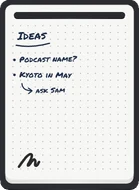

Your daily notes
SMTWTFS
Sunday, November 8
あなたの、、をネイティブのAppleアプリで。保存先は、自分で管理するMarkdownファイルです。
App Storeから入手できます。合わなければ、返金はAppleが対応します。

プレーンなファイル
Markdownのフォルダがすでにありますか?Ravenでそのフォルダを開くだけ。あとから書き出すものは何もありません。
.mdファイル。
 Japan Trip.md
Two weeks in April. The big one we've been talking about for years and finally booked.
書く
ジャーナルのページも、ふと浮かんだ考えも、メモも、それだけに集中。Markdownで書式を付けられ、タイプライターモードなら書いている行が中央に留まります。
タスク
どのメモに書いたToDoも、リストやボードとして「タスク」に集まります。Macで動かせば、iPhoneも追いつきます。
自分らしく
9つのテーマ、4つのフォント、手描き風を含む4つのハイライトスタイル。テーマごとにライトとダークの配色があります。
Building it slowly so I'm not throwing things in a bag the night before.
Building it slowly so I'm not throwing things in a bag the night before.
mac、ipad、iphone
Mac、iPad、iPhoneでネイティブに動き、すべて同じMarkdownファイルを開きます。Finderで開けば、ハイライトも含めてただのテキストです。
Raven for MacTwo weeks in April. The big one we've been talking about for years and finally booked.
Two weeks in April. The big one we've been talking about for years and finally booked.
Two weeks in April. The big one we've been talking about for years and finally booked.
ai対応
メモもジャーナルもToDoもプレーンなMarkdownファイル。だからClaude、Codex、Cursorが読んで、未完了を見つけ、書き戻せます。変更はRavenに表示されます。
仕組みを見るWhat's still open this week? Add it to today's journal.
Three to-dos are still open: book the Kyoto hotel, hang the hall shelf, and replace the bathroom bulb.
+ ## Still open
+ - [ ] Book the Kyoto hotel
+ - [ ] Hang hall shelf
+ - [ ] Replace bathroom bulb
 Raven · Journal
Slow start, but it's a simple day.
さらに
日々のメモ、すばやい記録、リッチなMarkdown、オフラインで開くファイル、話したいときは音声入力も。
Macなら、どのアプリからでも⌃⌥Qで思いつきを記録。
2026-11-08.mdJust now2026-11-07.mdYesterday2026-11-06.mdFriday2026-11-05.mdThursdayファイルはデバイス上に。だからオフラインでも開けて保存できます。
Ask Sam about the bakery by the pier, and bring the small kettle.
話した内容をRavenが書き起こします。音声はデバイスから出ません。
乗り換え
App Storeのレビュー
“The closest I got to content was with Bear... Until I saw this.”
“This is exactly what I wanted for a notes app that could replace Obsidian on mobile for me as I am not too heavy use on note apps.”
“Really impressed by the responsiveness of the dev. They reached out to me almost immediately following my review to outline their intentions as far as the roadmap goes.”
App Storeでの1回の購入で、Mac、iPhone、iPadすべてで使えます。サブスクもアプリ内課金もありません。
US$19.99 買い切り
米国App Storeでの価格です。返金はAppleが対応します。
よくある質問
Ravenが合わなければ、reportaproblem.apple.comからAppleが返金に対応します。使わないアプリを持ち続けるより、正直に試してもらうほうがうれしいです。
メモは、自分で選んだフォルダにあるプレーンな.mdファイルです。Ravenの利用をやめても、Ravenがなくなっても、すべてのメモはFinderや任意のテキストエディタ、gitで開けます。書き出す必要はありません。
RavenはMarkdownファイルのフォルダを開くので、すでに.mdになっているものは、MacでRavenをそのフォルダに向けた瞬間に表示されます。ObsidianのVault、以前書き出したメモ、何年も保存してきたテキストなどです。ワンクリックの読み込み機能はまだないため、Appleのメモなど他のアプリに入ったままのメモは、先にMarkdownへ書き出す必要があります。そのあとは、フォルダ内のただのファイルです。
Ravenはメモをファイルとして保存し、完全にオフラインで動作します。Mac、iPhone、iPadで同じメモを使うには、iCloud Driveに置いてください。Ravenのアカウントは不要です。1台のデバイスだけで使うことも、Mac上の任意のフォルダを選ぶこともできます。
RavenはAIチャットアプリではありません。メモはプレーンなファイルなので、Claude、Codex、Cursor、MCPクライアントなど、いつものツールが書き出しなしで直接読めます。Macでは、Raven Companionが、権限を自分で設定できるCLIとMCPサーバーを追加します。オンにするまではオフのままです。安全のため、エージェントはまだメモを削除・移動できません。
Obsidianは柔軟ですが、設定が趣味になりがちです。RavenはMarkdownファイルとバックリンクを、初めて開いた瞬間から使えるネイティブのAppleアプリで提供します。
いいえ。RavenはApp Storeでの買い切り(米国ではUS$19.99)で、サブスクもアプリ内課金もありません。1回の購入でMac、iPhone、iPadすべてで使えます。
Mac、iPhone、iPadでネイティブに。保存先は、自分で管理するプレーンなMarkdownファイルです。
Ravenを入手App Storeから入手できます。合わなければ、返金はAppleが対応します。