Updated May 28, 2026 with current Apple Notes export guidance.
Raven vs Apple Notes
Apple Notes ease, real Markdown files.
Apple Notes is excellent for free capture, scans, attachments, and shared lists. Raven is for the notes you want to own as plain
.md
files, with a native Mac, iPhone, and iPad app around them.
$14 lifetime until July 31. Apple feel, files you can take anywhere.
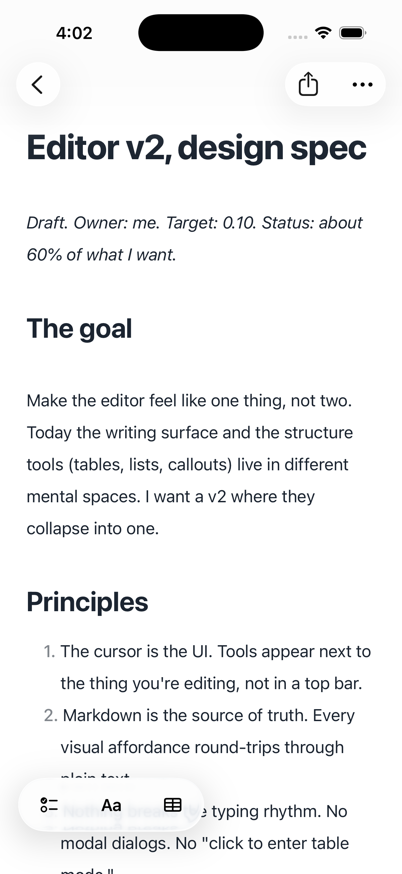
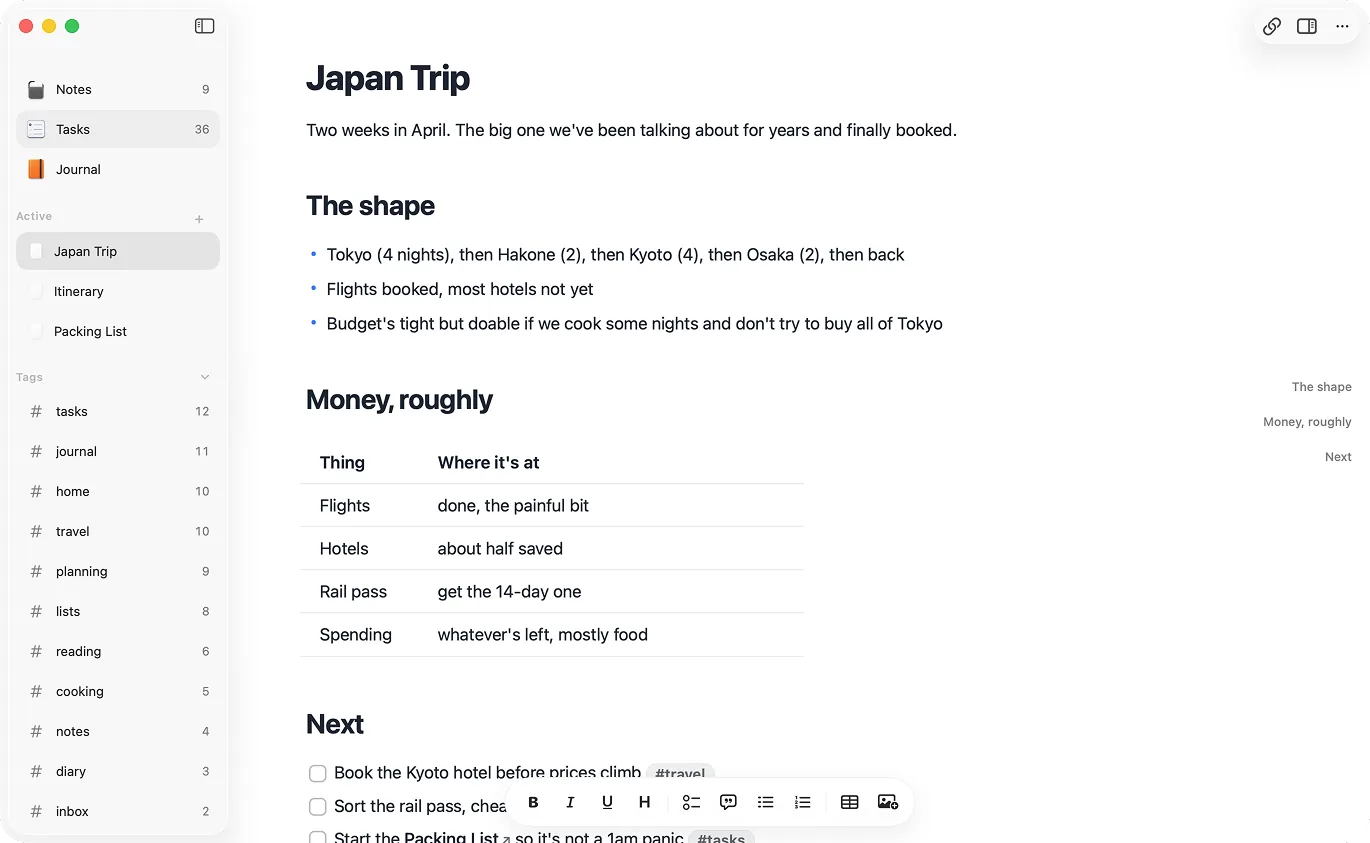
Keep the ease. Start with files.
Use Apple Notes where it shines. Use Raven when the writing should stay portable.
Design principles
What Raven protects.
Principle #1
Ownership
Apple Notes can export Markdown. Raven starts with plain `.md` files in a folder you control.
Principle #2
Instant feel
Capture and search should feel local. Raven keeps the notes readable and available offline.
Principle #3
Platform fit
Use the Apple surfaces that make sense: widgets and Shortcuts on iPhone, Companion CLI/MCP on Mac.
If you want files later, start with files now.
Apple Notes can export Markdown. Raven starts there. Every note is already a plain Markdown file in a folder you can see, search, back up, or open somewhere else.
Keep Apple Notes for capture. Move long-term writing to files.
Markdown is the storage model, not an export step.
Apple Notes can export a note as Markdown on current iPhone software. Raven starts there: every note is already a .md file in a folder you control.
Your notes live in a visible folder.
Open the vault in Finder, edit files in another Markdown app, back them up however you like, or keep the folder under git. Raven does not hide your writing behind an app library.
Local agents can read the vault directly.
Claude, Codex, Cursor, terminal tools, and local MCP clients work with files. Raven keeps the folder readable, then adds Companion for permissioned Raven-aware edits.
Search stays local and text-first.
Raven gives you app search, but the files also stay searchable with ripgrep, Spotlight, scripts, and any text-first setup you already trust.
Keep Apple Notes where it works best.
Apple Notes is still the better home for scans, locked notes, handwritten notes, shared lists, and anything that relies on Apple's attachment-heavy note model.
Move long-term writing to files.
Project notes, research, meeting notes, daily notes, and AI context belong in a format your tools can inspect. Raven gives those notes a normal folder and normal Markdown files.
Raven vs Apple Notes.
Apple Notes is better for free capture and Apple integration. Raven is better when you want Markdown files you can inspect.
 Raven Raven |  Apple Notes Apple Notes | |
|---|---|---|
| Free and preinstalled | - | |
| Plain .md files on disk · Apple Notes exports Markdown; it does not store notes as files | - | |
| Native Mac app | ||
| Native iPhone app | ||
| Works with Claude / MCP agents · Export first | - | |
| Grep / git / terminal access | - | |
| [[Wiki-style]] backlinks | - | |
| Tables | ||
| Checklists | ||
| Document scanning | - | |
| Audio transcription on supported devices | - | |
| Collaboration | - | |
| Daily and weekly Journal | - | |
| One-time purchase option | - |
Apple Notes or Raven?
You want free notes with scans, handwriting, and collaboration
Apple NotesYou want a Markdown vault Claude, Codex, Cursor, or Companion can inspect
RavenYou mostly capture receipts, PDFs, sketches, and quick shared lists
Apple NotesYou want your notes in git, Finder, terminal tools, or another editor
RavenYou want Markdown as an occasional export format
Apple NotesYou want Markdown as the actual note format
RavenSource notes.
This page relies on primary Apple sources, linked below so you can check them.
Apple Notes questions.
What is the best Apple Notes alternative for Markdown?
Can Apple Notes export Markdown?
Can Claude read Apple Notes?
Should I replace Apple Notes completely?
Does Raven have Apple Notes collaboration?
Does Raven cost money?
Keep the native feel. Take the files with you.
Lock in lifetime at $14 before August 1. Apple handles refunds through Report a Problem if it's not for you.
Also comparing Bear or Obsidian? Read the Apple Notes to Markdown guide.